What is headless HubSpot?
HubSpot has publicly declared itself headless. On 17 November 2026, Chief Product and Technology Officer Duncan Lennox published "HubSpot is headless. Here's how we'll price it", setting out how customers can use HubSpot from outside its interface and what that costs.
It came days after a bigger shift. On 12 November, co-founder Brian Halligan returned as CEO to lead what HubSpot calls a refounding of the company. Halligan described HubSpot's next chapter as "the customer relationship harness" - the CRM as the record and context layer that AI agents work from.
This didn't come from nowhere. HubSpot's remote MCP server became generally available in April 2026 with read and write access. Earlier this year, HubSpot also committed to API parity: the principle that no capability should live only behind its interface. What's new is the clear position, and the pricing.
How does headless HubSpot work?
There are four ways in, and they all reach the same HubSpot data and logic:
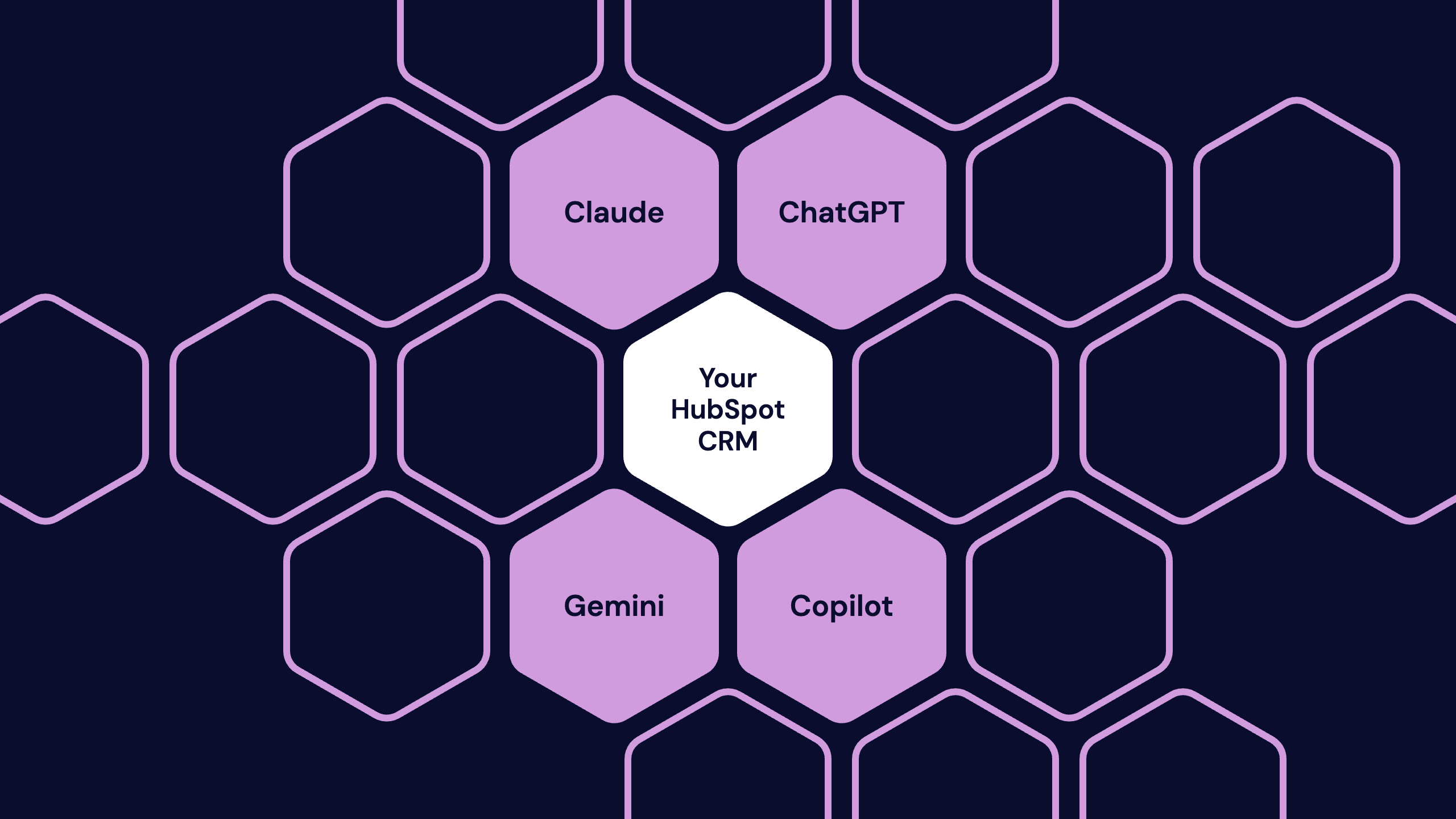
- AI connectors. HubSpot has connectors for Claude, ChatGPT, Gemini, and Microsoft Copilot. A sales rep can summarise open deals, a customer success manager can prep for a renewal, and a marketer can launch a campaign without opening another tab.
- The MCP server. Model Context Protocol is the standard AI tools use to connect to other software. HubSpot's MCP server lets any compatible agent read from and write to your CRM.
- The Agent CLI. A command-line route for developers building and running their own agents.
- The APIs. The same APIs that power thousands of existing integrations. Agents you build or buy connect here like any other integration.
Access respects the permissions you already have. If a user can't see a record in HubSpot, their connector can't either. That's reassuring - but only if your permissions were set up properly in the first place.
Does headless HubSpot cost extra?
For everyday use, no. Every HubSpot seat includes enough headless access to do normal work from Claude or ChatGPT at no additional cost. Heavier and more autonomous use is charged in two ways.
|
How you use it |
What it costs |
|---|---|
|
Your team works in HubSpot from Claude, ChatGPT, Gemini, or Copilot |
Included with each seat. Power users can top up with HubSpot Credits. |
|
Your own or third-party agents connect through HubSpot's APIs |
Counts towards the API capacity already in your plan. Extra capacity can be added. |
|
Agents run at scale in HubSpot's governed agent environment |
Paid with HubSpot Credits. |
That third route is still being built. HubSpot describes it as a governed environment designed for agents, with purpose-built agentic APIs, control over what each agent can access, and a record of every action. Expect the detail to change before it launches.
If your agents will run on credits, design for that from the start. Set a budget, decide what happens when an agent nears it, and report on usage from day one.
The contrast with Salesforce is deliberate. Salesforce announced Headless 360 in April 2026, and HubSpot is positioning its seat-included model against vendors that restrict AI access to top tiers or sell it as an add-on.
What changes for your team?
Less than the headlines suggest, at least at first. HubSpot still looks and works the way your team knows it. Nobody has to stop logging in. What changes is that they no longer have to.
What stays the same: your data model, your pipelines, your workflows, your reporting, and your permissions. HubSpot is still the system of record.
What changes:
- Where work happens. Reps, marketers, and service teams can pull, update, and act on CRM data from the AI tool they already use.
- Who does the work. Agents can enrich records, update deals, and personalise outreach without a person clicking through each step.
- What adoption means. Logins stop being a useful measure. The question becomes whether the right work is getting done, by people or agents, from accurate data.
- Who owns governance. Someone has to decide what each agent can see and do, and check what it did. For most teams, that role doesn't exist yet.
You can move one workflow at a time. Start with something low-risk and high-volume, such as meeting prep or deal summaries, before you hand agents anything that writes to customer records.
Is it safe to connect AI tools to HubSpot?
Yes - if you set it up deliberately. Security is the question we hear most, and it's a fair one. Connecting an AI tool to your CRM means customer data leaves the screen your team is used to, and that feels like a loss of control.
When we talk to customers and the people who come to our AI workshops, the same hesitation comes up every time: security. Nobody's questioning whether AI connectors are useful. They're asking who can see what, where their customer data goes, and whether they could undo something an agent got wrong. Those are the right questions to ask before you connect anything.
Hollie Higa, Head of Marketing, BabelQuest
Those conversations happen at events like our AI Engine workshop, where teams come to move from experimenting with AI to deploying it - and where The College of West Anglia shared how it deployed a customer agent safely.
The good news is that most of the controls already exist. Using HubSpot's connector for Claude as an example, HubSpot's own documentation sets out how each concern is handled. Other connectors work in similar ways, but check each one.
How to address the security concern
- Control who can connect. Only Super Admins and users with App Marketplace access can connect without approval. For everyone else, a Super Admin approves the connector, chooses which data it can access, and decides who can install it.
- Tighten user permissions first. The connector respects each user's existing HubSpot permissions, so people only see in their AI tool what they can see in HubSpot. If your roles are too broad today, fix them before you roll out.
- Keep sensitive data out of reach. The connector can't access custom Sensitive Data properties, such as personal health information. If Sensitive Data is turned on in your account, it can't access engagement data either.
- Make agents ask before they act. HubSpot recommends setting write tools to require approval, so every change is shown to the user before it's made. The Claude connector can create and update records, but it can't delete them.
- Watch the audit log. Every create and update made through the connector is recorded against both the user and the connector, along with who connected and when.
- Use a business AI plan. Once data reaches the AI tool, that provider's terms govern how it's stored and used. Use a business or enterprise plan, check its data training and retention terms, and stop staff connecting HubSpot to personal accounts. Claude Enterprise, for example, lets admins restrict connections to company accounts.
- Write it down and train people. A one-page AI usage policy - which tools are approved, what data is off limits, who reviews agent activity - does more than any setting. Then make sure your team knows it exists.
HubSpot is also building a governed environment for agents, with per-agent access controls and a record of every action. That will help as agents take on more. But the steps above are available today, and none of them need a developer.
If you want to go further, our guide to making AI safe covers how to build AI governance on the frameworks you already have.
Is your HubSpot ready for AI agents?
Most aren't, and the reason is rarely the technology. An agent is only as good as the data and rules it works from. A person notices when a property is out of date or a deal stage makes no sense. An agent acts on it.
Before you connect agents to your CRM, check four things:
- Data quality. Duplicate records, empty properties, and inconsistent values will produce confident, wrong answers.
- Data model. Agents need clear objects, associations, and property definitions. If your team argues about what a lifecycle stage means, an agent can't get it right either.
- Permissions. Connectors inherit user permissions. If those are too broad today, an agent will be too.
- Ownership. Decide who approves new agents, who reviews what they did, and what happens when one gets it wrong.
The fourth point is the one most businesses skip, and it's a change management problem, not a technical one. Headless HubSpot changes how people work, what they're accountable for, and how success is measured. Teams that plan for that get the value. Teams that just switch on a connector get faster mistakes.
We saw this with The College of West Anglia (CWA). Its old chatbot pulled from uncontrolled sources and told prospective students the college had a swimming pool. It doesn't. When we replaced it with HubSpot's Breeze Customer Agent, we onboarded the agent like a new team member, not a product install:
- Trusted sources only. The agent answers from CWA's own website pages, knowledge articles, and FAQs, with stray sources deliberately excluded.
- A clear hand-off. When it reaches its confidence limit, it captures the student's email and passes the question to a person.
- A budget failsafe. A non-AI chatflow sits behind the agent, ready to take over if usage nears the credit limit.
- Reporting on every conversation. That shows where the agent falls short and which content to fix.
The result: 68% of enquiries resolved with no added headcount, and usage comfortably within a fixed credit budget. That was HubSpot's own agent, but the principles apply to any agent you connect to your CRM.
This is where we spend most of our time. At BabelQuest, the consultants who scope your HubSpot are the same people who build it - and they'll tell you plainly whether your CRM is ready for agents, and what to fix first.
Frequently asked questions
Is HubSpot a headless CRM? Yes. In November 2026, HubSpot publicly described itself as headless. Its CRM can be used through AI connectors, its MCP server, its Agent CLI, and its APIs, without opening the HubSpot interface.
Does headless HubSpot cost extra? Not for everyday use. Each HubSpot seat includes enough headless access to work from Claude or ChatGPT at no additional cost. Third-party agents use your plan's existing API capacity, and agents running at scale in HubSpot's governed agent environment use HubSpot Credits.
Which AI tools work with HubSpot? HubSpot has connectors for Claude, ChatGPT, Gemini, and Microsoft Copilot. Any agent that supports Model Context Protocol can connect through HubSpot's MCP server.
Do I still need to log in to HubSpot? No, but you can. The HubSpot interface still works as before. Headless access is an additional way in, not a replacement.
Is headless HubSpot secure? Connectors respect each user's existing HubSpot permissions. HubSpot is also building a governed environment for agents with access controls and a record of every action. Your security depends on how well your permissions are set up today.
How is headless HubSpot different from Salesforce Headless 360? Both open the CRM to AI agents through APIs and MCP. The main difference HubSpot is emphasising is pricing: everyday headless access is included with every HubSpot seat rather than sold as an add-on.
Get your HubSpot ready for agents
Headless HubSpot puts more weight on your CRM, not less. If you're not sure your data, permissions, and processes can take it, talk to us.

Written by
Hollie HigaHollie is Head of Marketing at BabelQuest, an Elite-tier HubSpot Solutions Partner based in Abingdon, Oxfordshire.