However, one thing that isn’t available out of the box is a simple way to track how many separate marketing email campaigns have been sent over time. Knowing the number of campaigns, rather than just total sends, is important for understanding workload, campaign cadence, and overall marketing activity. For example, you might be sending thousands of emails, but if these are concentrated in just a handful of campaigns, it could affect engagement, content fatigue, or the effectiveness of your nurture sequences.
This is where a custom report can be a game-changer.
How to Create the Report
- Navigate to Reporting → Reports → Create Report → Custom Report.
- Choose Marketing Email as your primary data source and press Next.
- Drag Publish Send Date onto the X-axis. This allows you to analyse campaigns over time.
- On the Y-axis, select Count of Marketing Emails. This counts the number of distinct campaigns published.
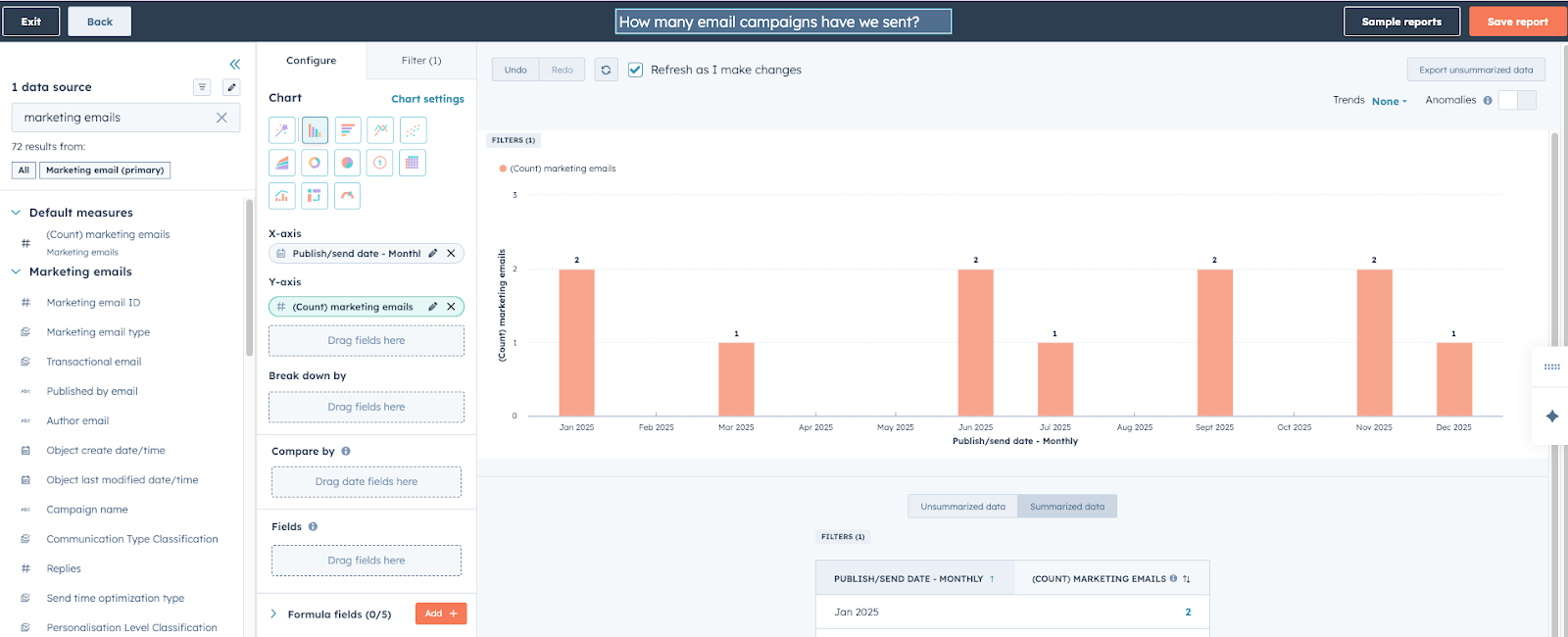
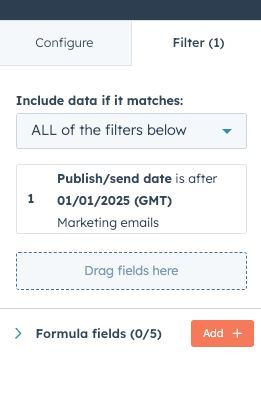
- Apply a filter on Publish Send Date to define your reporting window, e.g., after January 2025.
- Run the report. You will now see a clear view of every marketing email campaign published and sent during the chosen timeframe.
✅ Why This Hack Is Useful
- Measure campaign cadence: You can see whether emails are being sent consistently or if there are periods of inactivity.
- Understand resource allocation: Knowing the number of campaigns helps assess how marketing resources are being used and whether your team is maintaining a healthy campaign rhythm.
- Combine with engagement metrics: Pairing this report with opens, clicks, and other engagement metrics lets you see not only how often you’re emailing, but also how effective each campaign is.
- Identify trends over time: Are certain months or periods more active? Are campaigns clustered around product launches, events, or promotions? This insight can inform future planning.
- Support reporting and strategy: This report provides a high-level view of marketing email activity that’s perfect for stakeholders, campaign reviews, and strategic planning.
By using this custom report, you move beyond just looking at recipient engagement and start seeing the bigger picture of campaign volume and marketing activity. This is particularly useful for teams running multiple campaigns across different regions, products, or personas, where it can be hard to understand the overall rhythm of email marketing without a centralised view.